An AI copilot that knows your business, not just the internet
Because all your data already sits in one place, the assistant can answer from it. It reads the sales, stock, pricing, content, creators, tasks and calendar you are allowed to see, then suggests what to do and can set up the task, event, reminder or recurring workflow, once you confirm.
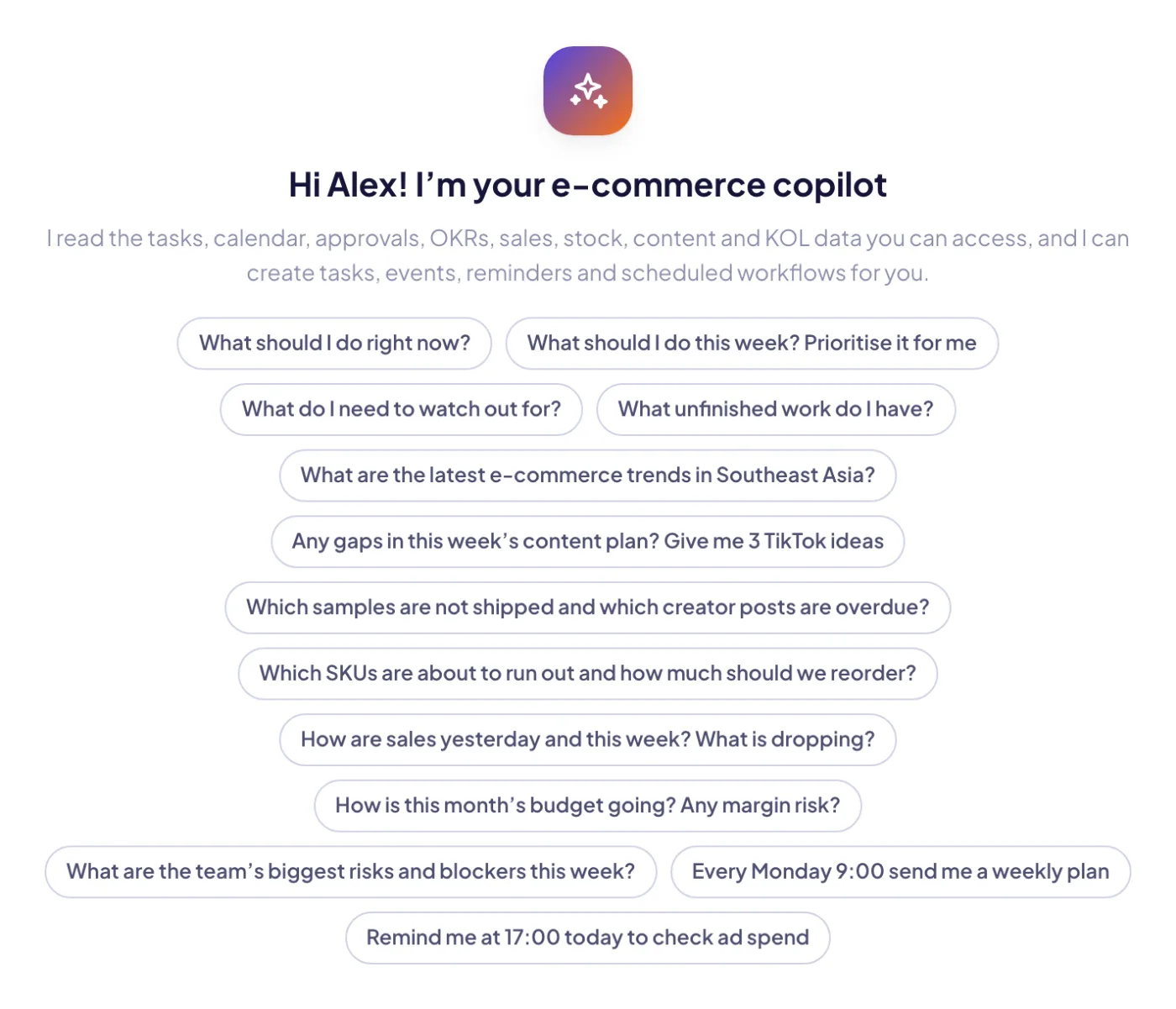
Start from a suggested question: what to do now, sales this week, SKUs about to run out, content gaps, team risks.
Highlights
An e-commerce copilot that reads your workspace data, within your permissions.
01
Grounded in your own data
The assistant answers with read tools for sales, stock, pricing, products, content, KOL, campaigns, LINE, budget, finance, tasks, calendar, approvals, OKRs, mail, meetings, announcements and notifications. While it works, it shows each step: understanding, reading the data, writing.
02
Your permissions, always
Tools run with the asking person’s rights, so nobody sees data they can’t open in the app. Cost and margin only appear for roles that see cost. When an answer is forwarded to a chat, cost and margin lines are hidden automatically.
03
@-mention any object
Type @ to attach a SKU, product, campaign, content piece and more. The assistant gets compact facts about that object instead of raw tables. You can also attach up to 3 text files (txt, csv, md, json).
04
Confirm before anything is written
The model never writes by itself. Creating a task, an event, a reminder or an automation appears as a proposed action with editable fields, and nothing happens until you press Confirm.
05
Scheduled workflows and reminders
Say “every Monday 9:00 send me a weekly plan” or tap the clock. You can run once, daily, on weekdays, weekly or monthly, as an AI answer, a free reminder or a free data digest. Each run is saved in its own conversation and sent as a notification.
06
Proactive briefs
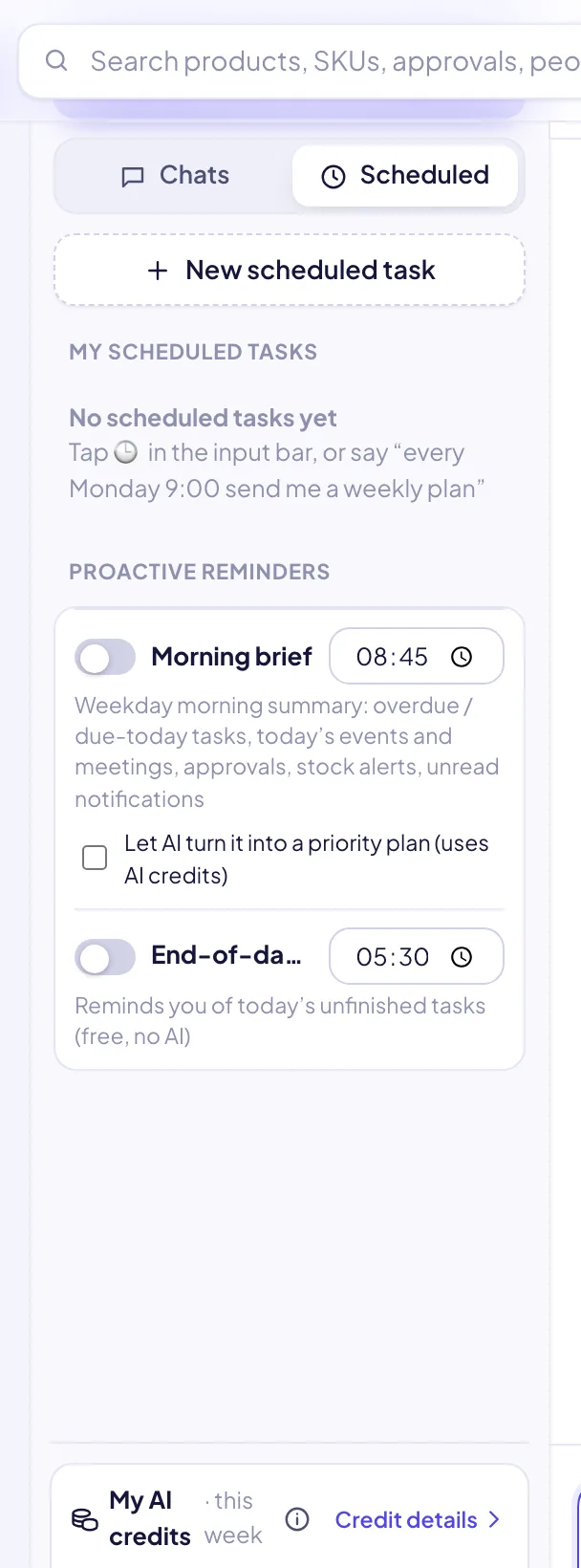
Morning brief on weekdays: overdue and due-today tasks, today’s meetings, pending approvals, stock alerts and unread notifications, optionally turned into a priority plan by AI. An end-of-day check reminds you of unfinished tasks for free.
07
Smart model routing
In Auto mode, a cheap model first reads the question, checks it is in scope and picks the data to read. Quick questions are answered by the cheap model and analysis by a strong one. You can force Fast or Deep, and the model actually used is shown under every answer.
08
Web search with sources
Industry and trend questions can use web search, with the sources listed under the answer. Pasted links get a preview and a one-click AI summary.
09
AI buttons across the modules
The same engine powers “explain this period” on the overview, the growth read-out, product insight and product-mix review, “describe use” for assets and the AI review of uploaded data, all from one AI gateway.
10
Fair, per-person credits
Every person gets their own weekly allowance plus an even share of the workspace’s credit packs, so nobody uses up a colleague’s credits. Requests are charged on real model cost, cached and failed answers are free, and an estimate shows before you send.
The composer: @ to attach an object, model choice (auto, fast, deep), text files, a schedule button and a credit estimate before you send.
AI assistant
The composer: @ to attach an object, model choice (auto, fast, deep), text files, a schedule button and a credit estimate before you send.
Scheduled tasks and proactive reminders: morning brief, end-of-day check and your own recurring AI workflows.
AI assistant
Scheduled tasks and proactive reminders: morning brief, end-of-day check and your own recurring AI workflows.
AI assistant
How it works
1Ask
Open the full page or the quick panel (⌘J), and @-mention what you mean.
2It reads
A cheap model plans which of your data to read, and the tools fetch it within your permissions.
3It answers
You get KPI, list and link cards, with sources for web results.
4You confirm
Proposed tasks, events, reminders and automations are created only when you confirm.
5It keeps going
Scheduled workflows and briefs run by themselves and notify you.