
Team members, roles and permissions
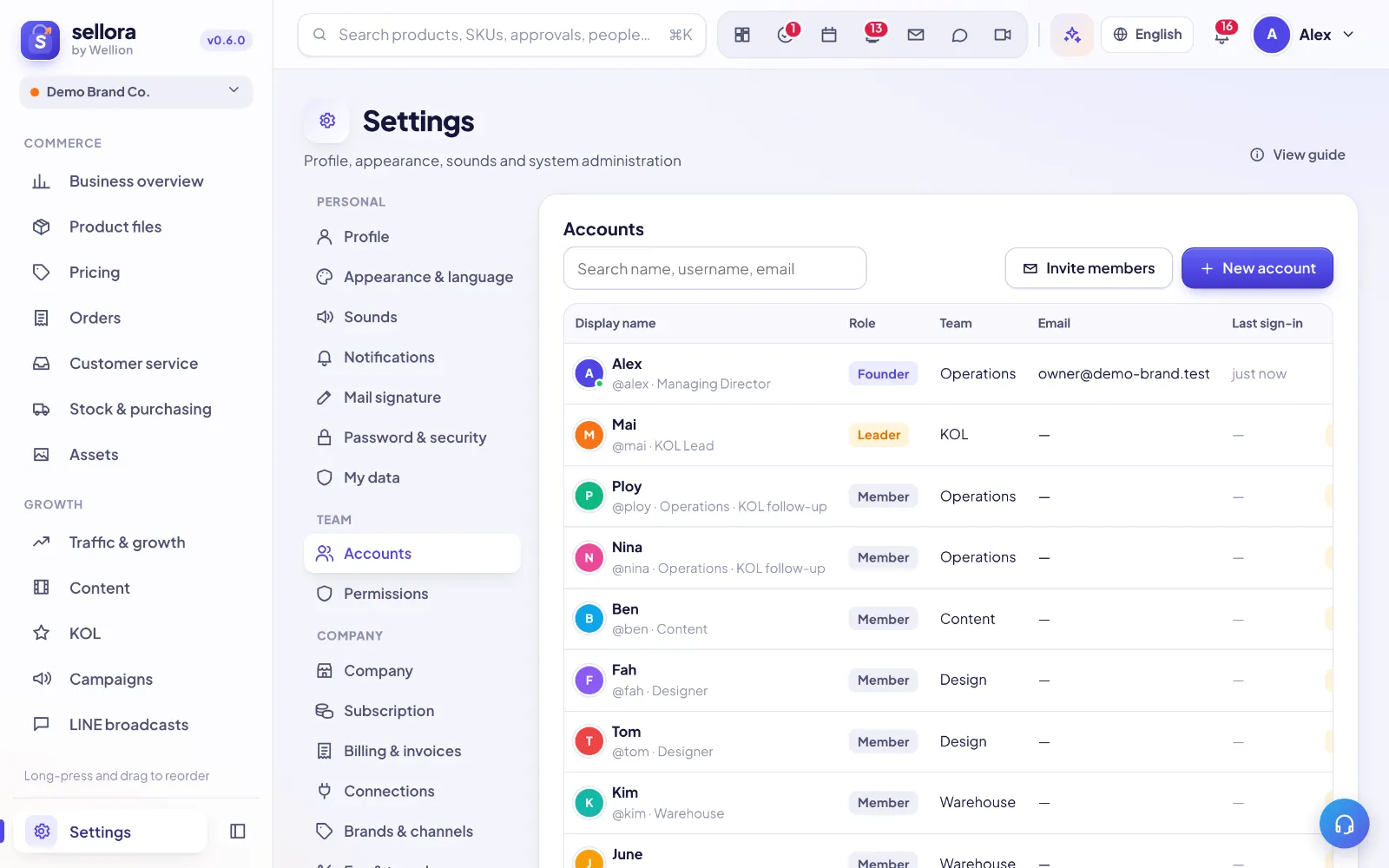
Invite people
Settings → Accounts → Invite members has three ways in:
- Email invite — for one address, one use; they join directly after signing up. (Mail sending is in demo mode for now: copy the link and send it yourself.)
- Invite link / QR code — a code with an expiry (default 7 days), optional max uses and a role. Tick Join directly or people wait for approval. Revoke a link any time.
- Create the account yourself — New user; leave the password empty to generate one. A login card (address, username, password shown once) appears to send to the person; they change the password at first sign-in.
People who sign up on the website enter the invite code (or open the link) and join your company instead of creating a new workspace. Without a code, sign-up creates a new workspace and that person becomes its founder. Someone who already has a SellerTiger account opens the link while signed in and joins your workspace as an extra one (workspace switcher, top left). Join requests and new members notify the founder and admins. When the plan's seats are full nobody new can join (they see "the team is full — contact the founder"); upgrade or deactivate unused accounts.
Roles
- Founder — the person who created the workspace (exactly one per workspace): everything, including billing, company settings and mail signatures.
- Leader — approves, sees costs and margins, manages their modules.
- Member — creates and works on their own items.
- Viewer — read only.
Per-module permissions
Settings → Roles shows the defaults for each role. You can override a single person's level per module (View / Edit / Approve / Manage). Modules not included in your plan are hidden for everyone.
Removing someone
Deactivate the account in Settings → Accounts. Their history stays; their seat becomes free immediately.
Transferring founder rights
Only the founder can do this: Settings → Company → Danger zone → Transfer founder…. Pick an active member, re-enter your password and confirm. They become the founder at once (and get a notification); you become a leader. A workspace always has exactly one founder, so the founder role can't be given or removed in Accounts.
Mail signatures
Only the founder edits mail signatures (Settings → Mail signature), for themselves and for each member, so the whole company signs the same way. Everyone else sees their own signature read-only.
Inside SellerTiger, press the headset button to ask the AI assistant or open a support ticket.