
Six views of the same plan
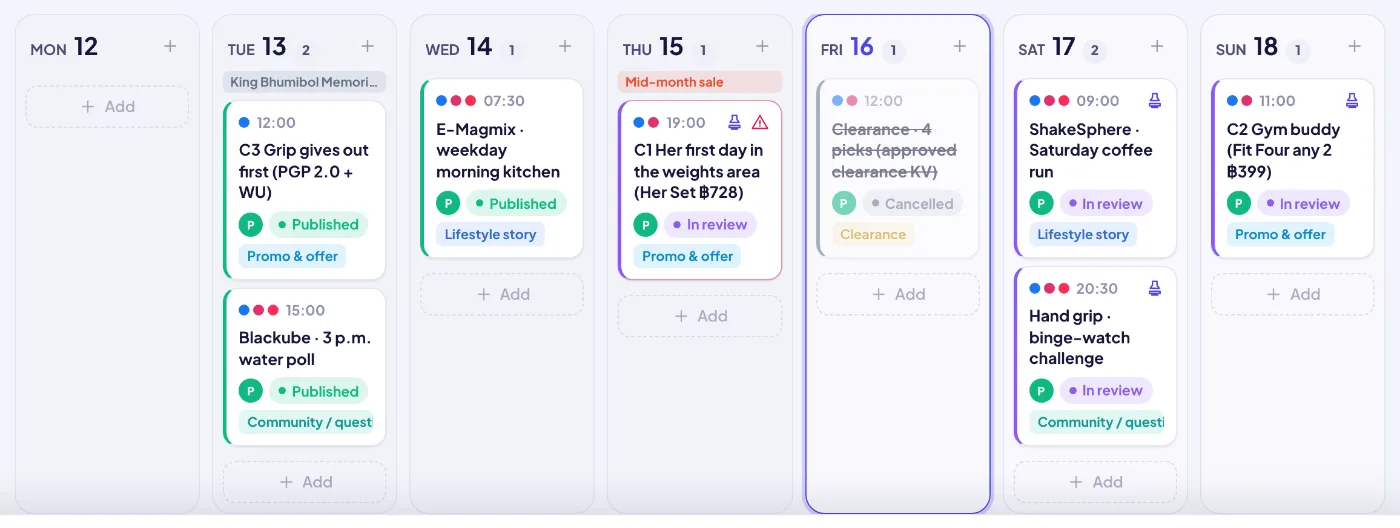
List, week, month, board, team brief and social. Drag cards to reschedule or change status; the team brief groups this week by person with “to publish” and “to produce” and can be copied as text for chat.
In today’s e-commerce, social content creates the demand that marketplaces convert. SellerTiger gives content its own operating system: a shared calendar, a production pipeline with approvals, scheduled publishing to Facebook, Instagram and TikTok, and results pulled back automatically and tied to the products and campaigns they sell.
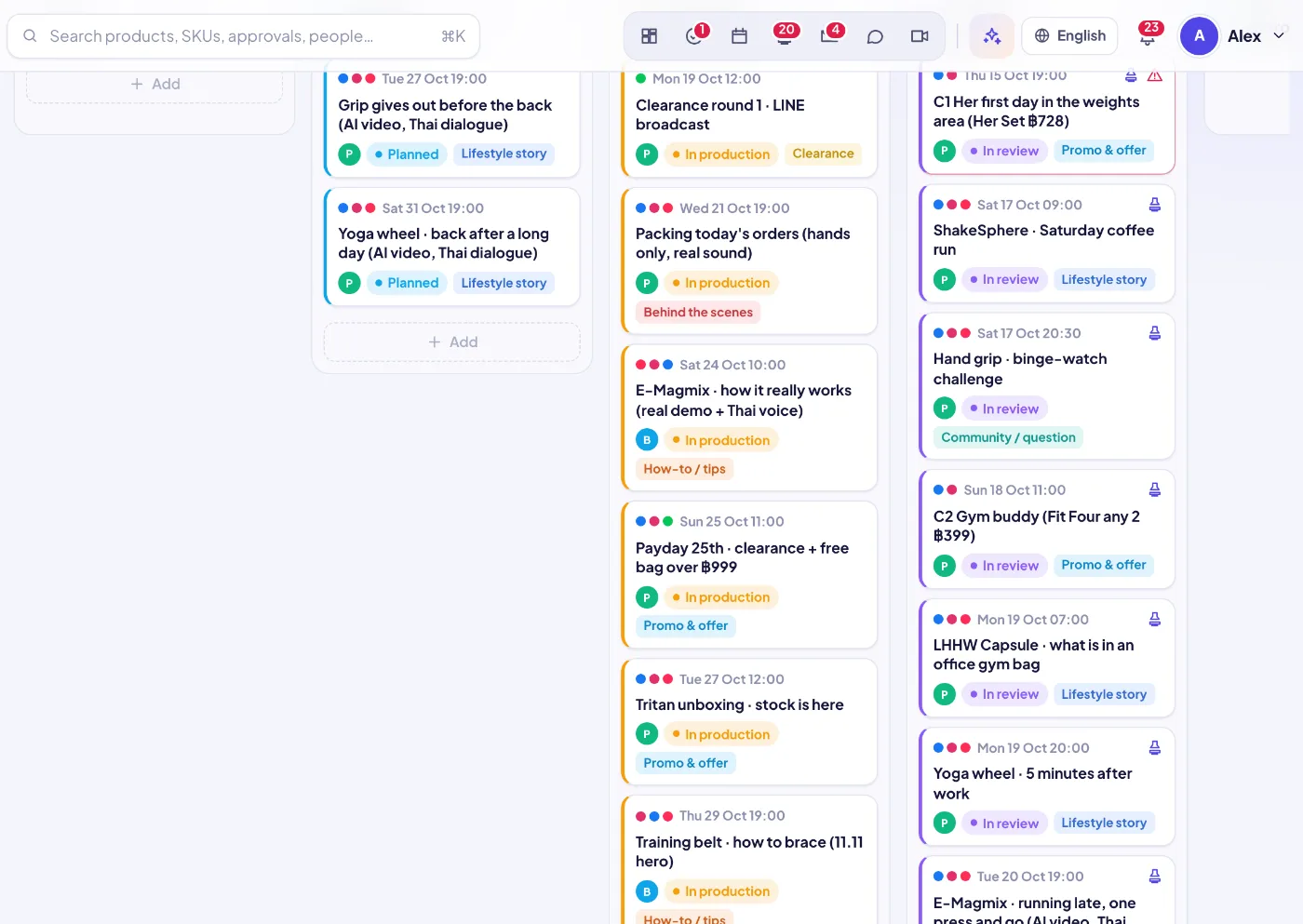
List, week, month, board, team brief and social. Drag cards to reschedule or change status; the team brief groups this week by person with “to publish” and “to produce” and can be copied as text for chat.
Idea → Planned → In production → In review → Approved → Scheduled → Published (or Canceled). Every item carries type (post, reel, short, video, story, live, blog, UGC), platforms, pillar, language, goal and production method (AI image, AI video, real shoot, edited, creator / UGC).
Submitting sends the item to a leader; approving it creates the “Publish” task for the owner automatically. Items cannot be marked published until approved, and the approval history stays on the item.
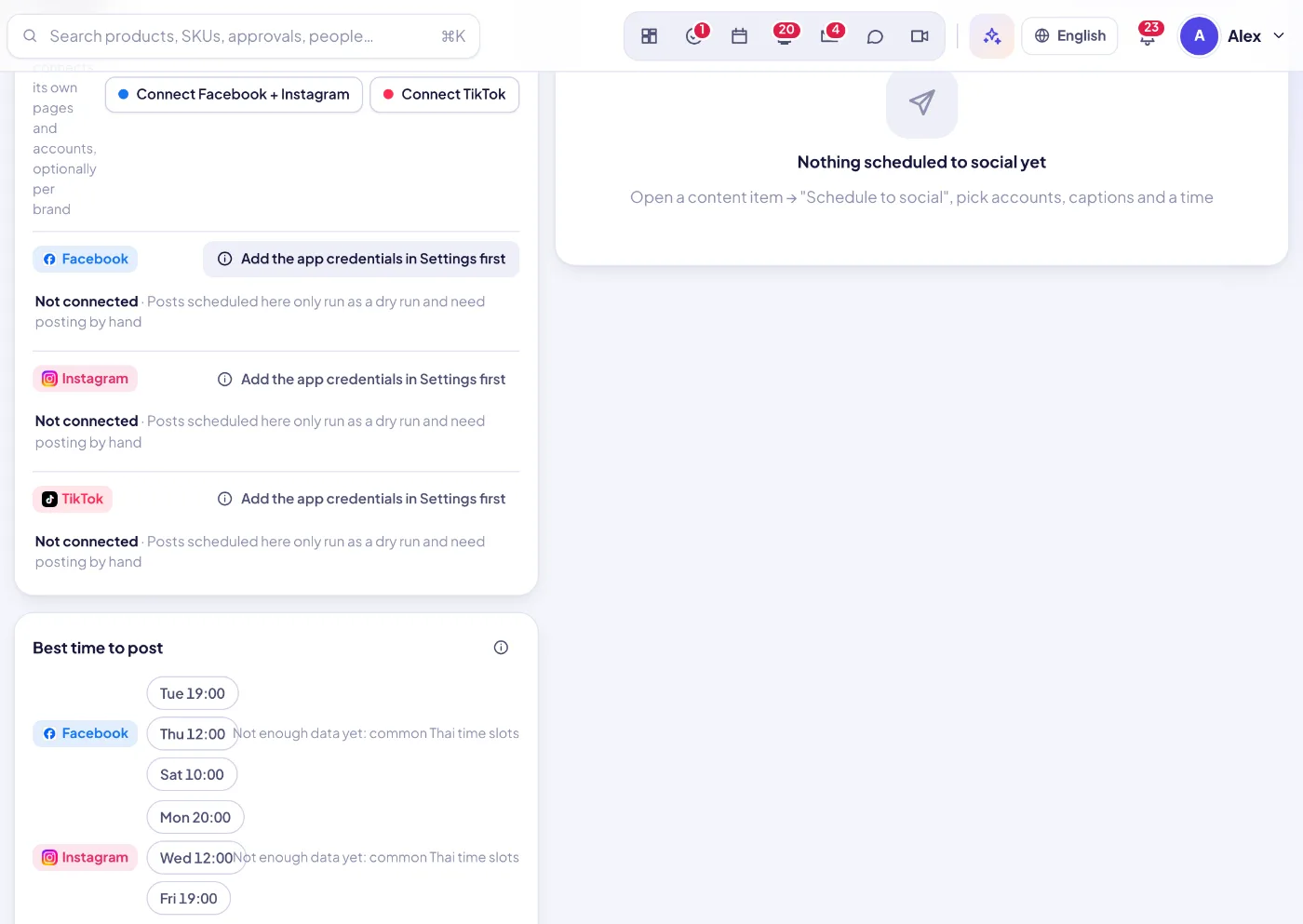
Each workspace connects its own Facebook Pages, Instagram Business and TikTok accounts (optionally per brand). One item can go to several accounts with a caption per network; a worker publishes at the time, retries with backoff and records the post link — dry-run until live publishing is switched on.
AI caption, AI ideas, AI weekly plan, per-platform caption versions, a pre-publish check (product facts and price, link rules, AI label, natural Thai, hashtags, CTA) and a performance review of past posts.
Published items with a post link get views, likes, comments, shares and saves automatically — through the platform API for connected accounts, otherwise from the public page, with AI reading it when needed. Orders and GMV can still be entered.
Published content from the last 180 days is grouped by weekday × 2-hour window; the three windows with the highest average views are suggested, falling back to common local time slots when there is not enough data.
Each item links to the products (SPU / SKU) it features, the campaign it belongs to and the creator who made it, so content shows up on the product, the campaign and the purchase forecast.
TikTok, Instagram, Facebook, YouTube Shorts, LINE OA, blog, Lemon8 and X — the pickers follow the social channels switched on for each brand.
Ideas and AI weekly plans land on the calendar with owner, producer, product and campaign.
Brief, script, captions and asset links are filled in; the board shows what is in production.
A leader approves; the owner gets a Publish task.
Scheduled posts go out to connected accounts (or are marked for manual posting in dry-run).
Views and engagement are fetched automatically and roll up into growth, campaigns and OKRs.
Sign up free in a minute — you start on the Free plan and can upgrade any time. Bring your team, connect your shops and watch the numbers move.