01One card per source
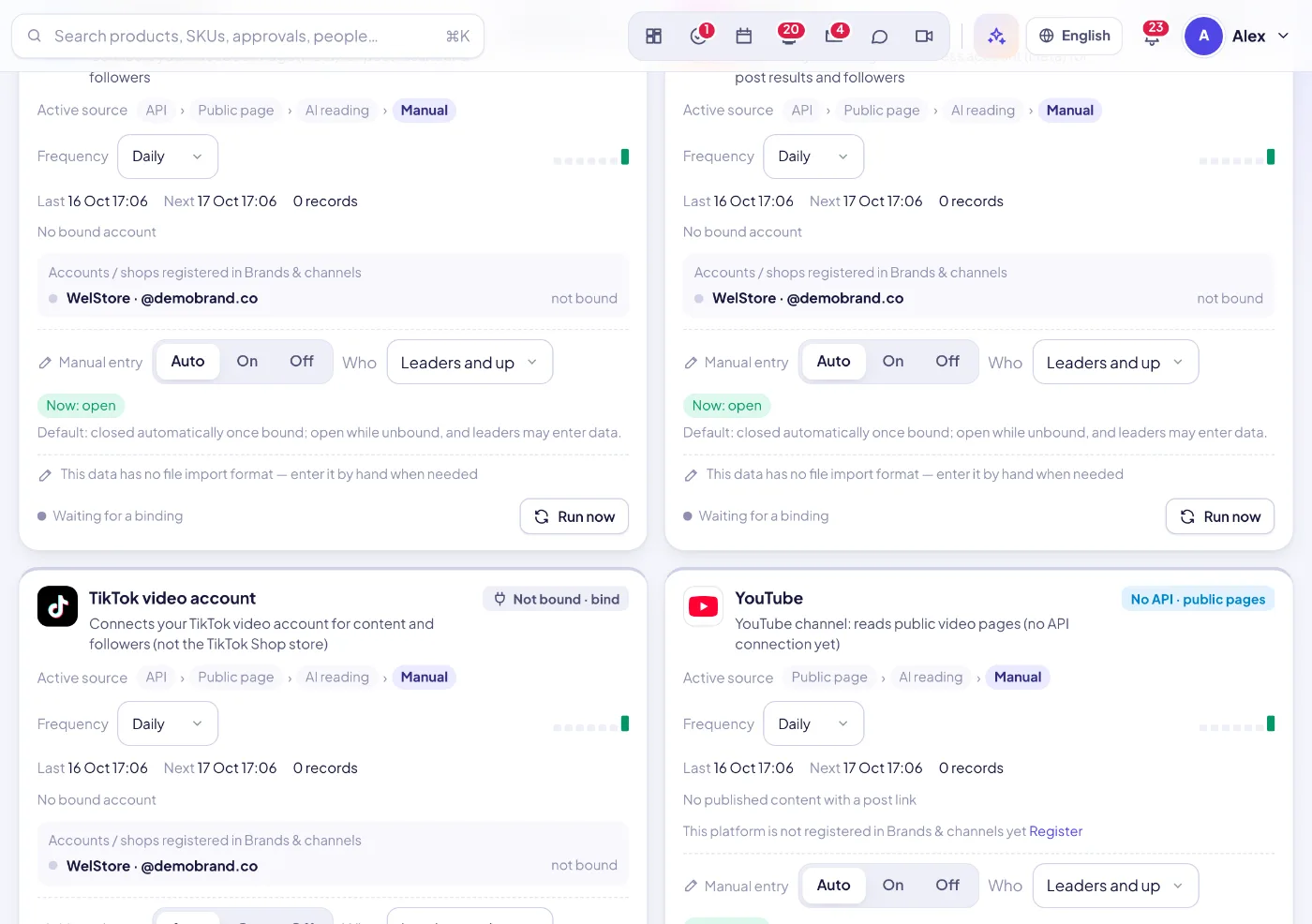
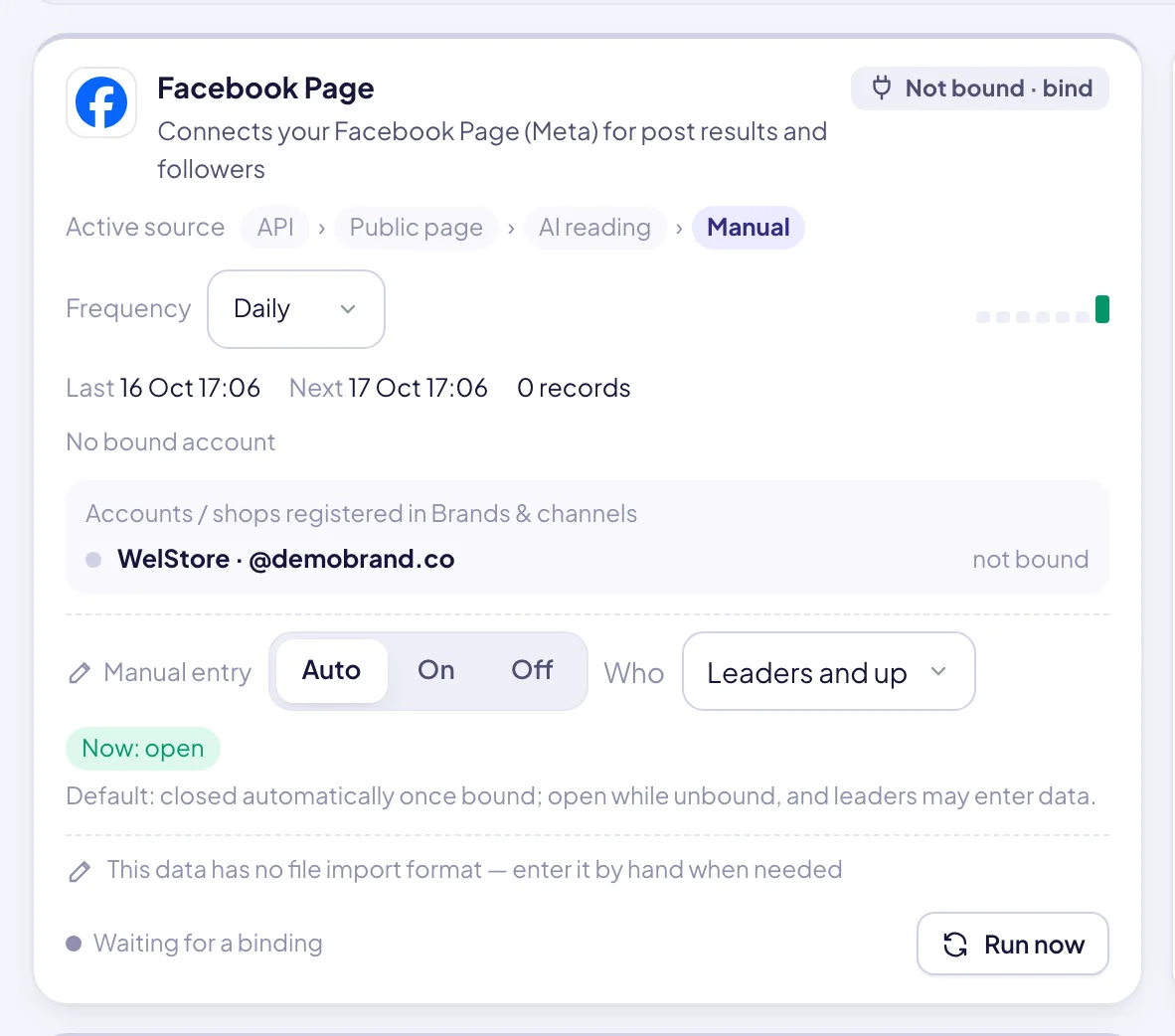
Sources are grouped into tabs: social media, marketplaces, website, orders, finance, KOL, LINE, price monitoring, products and office tools. Each card shows what it connects to, whether it is connected, its record count and a quiet count of merged duplicates.
02Health at a glance
Every card is marked healthy, needs attention, failing or waiting / n.a. Data is flagged as stale when nothing has succeeded for more than 2× its frequency. After 3 failures in a row, the workspace owners are notified once. A filter shows only the cards at a given health level, or only those that need manual work.
03Auto-fetch at your frequency
Anything an API can provide is fetched by itself once the account is connected. Choose off, hourly, daily (at a set hour) or weekly per source, and every 15 minutes for office sync. Due jobs are checked every 5 minutes and run one after another, never two at once.
04Run now and 7-day history
Each source shows its last and next run, a bar for each of the last 7 days (ok, partial, failed, not connected…) and the result in plain words, such as “120 updated (API 80 · page 30 · AI 10)”. “Run now” refreshes it at once.
05Clear source priority
Direct shop API > the platform’s own export file > AI reading of public pages > ERP bridge such as BigSeller > Excel / manual. The card shows the whole chain and highlights the source in use. A shop can be set to “keep BigSeller” or “API only”.
06Silent de-duplication
Every order has one key: platform + platform order number. When a direct API order arrives for an order already imported, the existing row is upgraded in place. Its workflow stage, notes and creator attribution are kept, and you never get a second copy.
07Manual entry locks once an API is connected
By default, manual entry closes automatically while a source is connected and stays open while it is not. The founder can switch it to on or off per card and choose who may enter data: founder only, leaders and up, or everyone.
08Data tasks for colleagues
For data that has no API, mark how often it must be uploaded and dispatch a data task (assignee, period, due date, notes). It becomes an urgent task. The upload is previewed, never saved, until a leader approves it. Rejected files go back with the reason. Before approval, checks run on date range, volume vs earlier periods, columns, duplicates and shop coverage, followed by a short AI verdict. The approved file is committed exactly as previewed.
09Import Center for every file
Orders, settlements, stock and product files from Shopee, Lazada, TikTok Shop, Shopline, Shopify, ERP and accounting exports. Headers are read in English, Thai or Chinese, and Thai Buddhist years are handled. Every import is previewed, logged in the history, can be undone, and re-importing the same file is safe.
10Encrypted keys per workspace
API keys for marketplaces, ERP, social, office, payment and AI providers are stored encrypted per workspace. Only a masked hint ever leaves the server. Connections only link accounts. Brands & channels defines which shops and accounts the company actually has.