
Every request type, one inbox
Price changes, content publishing, creator deals, sample requests, campaigns, purchase orders, stocktake variances, LINE broadcasts and data imports. New modules plug in their own type with the same engine.
Most approval tools stop at “approved”. In SellerTiger the request carries the data it is about, the system checks it before you look, AI can review it, and approving it actually does the next steps: prices go live, money is booked, tasks are created, people are notified.
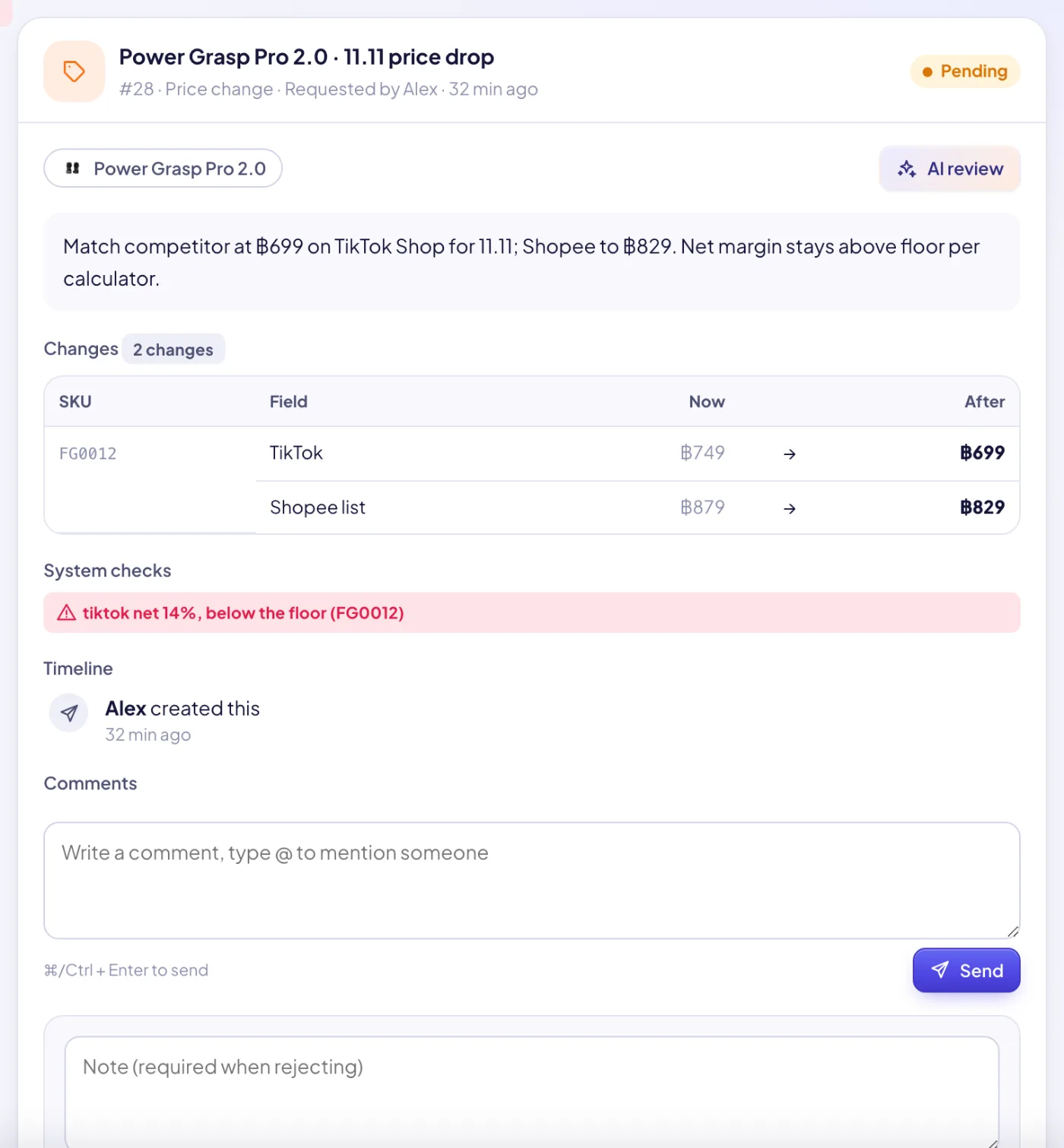
Price changes, content publishing, creator deals, sample requests, campaigns, purchase orders, stocktake variances, LINE broadcasts and data imports. New modules plug in their own type with the same engine.
Each request arrives with system checks: price below its net-margin floor or guard, a campaign price deeper than a hero SKU should go, unknown SKUs, out-of-stock items, creator commission above the agreed plan, missing cost. Errors show as a red badge in the list.
One click asks AI to review the request as a manager: list the risks, check it against the margin floor and the budget, and recommend approve or reject with reasons.
Approve a price change and the new prices apply. Approve a PO and it is marked approved with a “send to supplier” task. Approve a creator deal and the fee is booked as committed spend with a follow-up task. Approve a sample and its cost goes to the ledger with a shipping task.
An approved campaign books its budget as committed and turns its milestones into tasks; approved content is scheduled with a publishing task; an approved LINE broadcast is scheduled to send; an approved stocktake posts the adjustment.
An uploaded data file is checked (period, volume, columns, duplicates, shop coverage) and given an AI verdict; approving imports exactly the file that was previewed, and it can be undone.
Requests go to everyone with approval rights on that module. Requesters see their own; approvers see their modules. Product cost and margin details are hidden from people who may not see cost.
Rejecting needs a reason. Requesters can withdraw while pending. The timeline logs every step on the approval and on the object, and comments support @mentions.
Pending, mine, decided by me and all records as tabs; filter by type; urgent and high priority sort first; deadlines appear on the calendar; the Home page shows what waits for you.
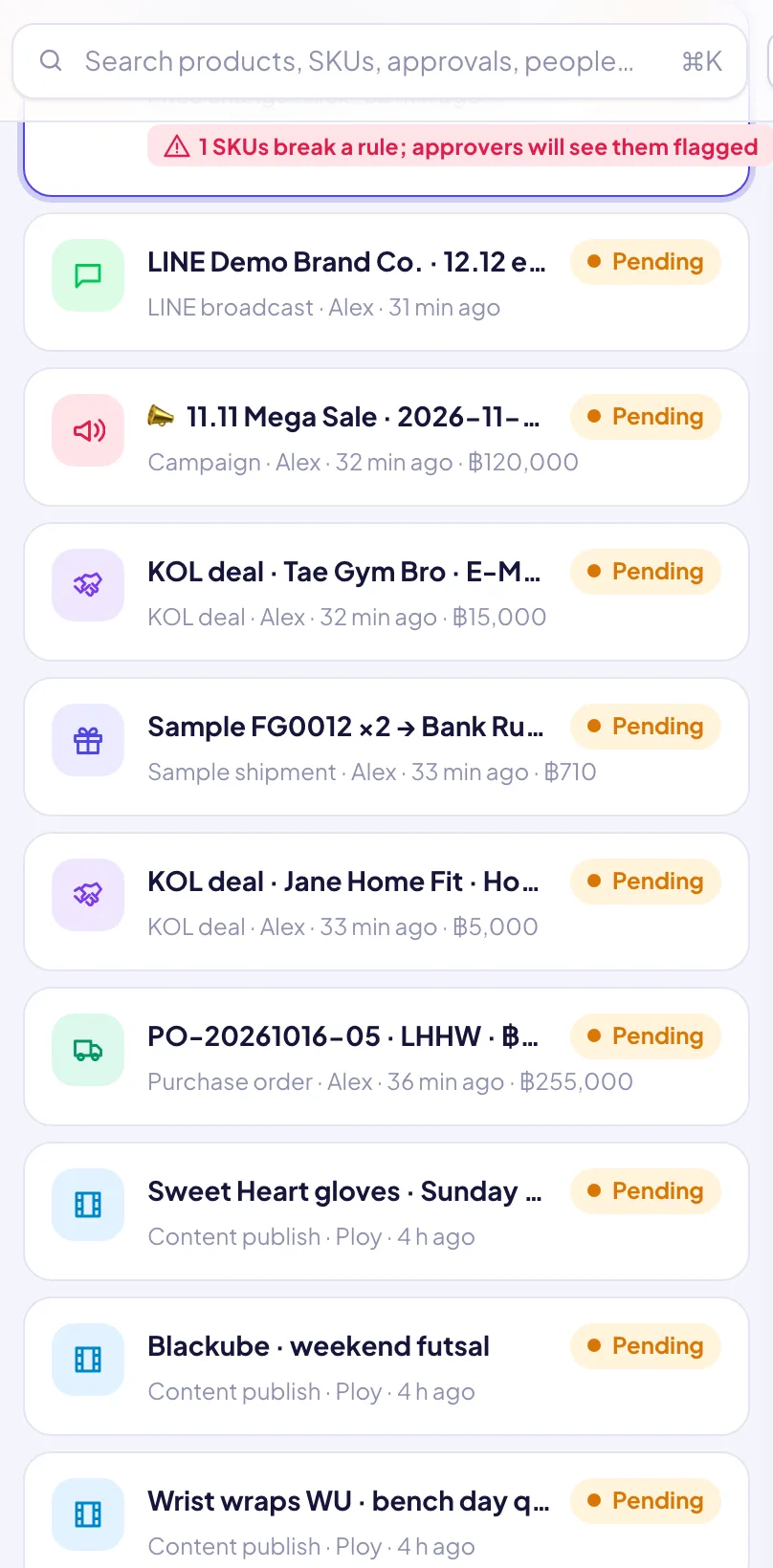
A module raises it from the object — a price list, a deal, a PO, a broadcast — with its payload and amount.
System checks are attached; approvers are notified with a sound.
Read the details and checks, ask AI for a review, discuss in comments.
Approve, or reject with a reason; the requester is notified either way.
Prices apply, ledger rows and tasks are created, schedules are set — all logged on the object.
Sign up free in a minute — you start on the Free plan and can upgrade any time. Bring your team, connect your shops and watch the numbers move.