
Learning center / Products, orders & customer service
Products, SKUs and images
SPU = the product (e.g. "Sports bottle 750 ml"); SKU = each sellable variant (color, size, bundle). Stock, prices and orders are tracked per SKU.
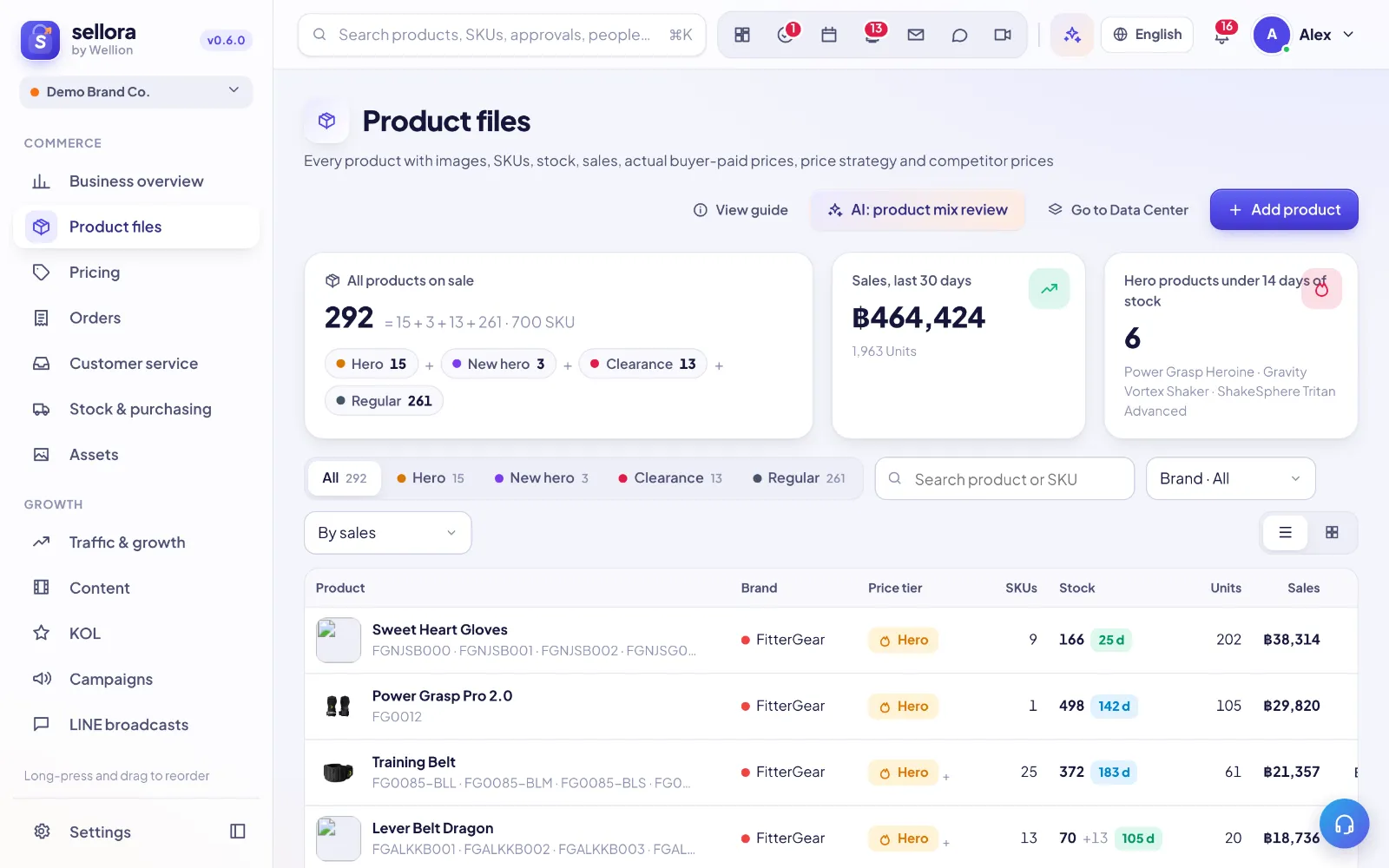
Add products
- Import: Products → Import → upload a CSV/XLSX (or your ERP's SKU master). The importer previews matches and lets you undo the import.
- By hand: Products → New. Fill name, brand, category, then add SKUs with code, barcode, cost and retail price.
- Combos / bundles: create a SKU of type bundle and list its component SKUs; stock is deducted from the components.
Images
Drag images onto the image box (or paste, or pick from the Asset library). Images are compressed automatically in your browser. All files live in Assets, where you can tag, search and reuse them.
Tiers
Mark products as hero, new hero, clearance or regular. Tiers drive pricing rules, reorder priorities and reports.
Tips
- Inactive / discontinued SKUs stay in history but disappear from pickers.
- Click any SKU chip anywhere in SellerTiger to open its window with stock, orders, pricing and linked content.
Still need help?
Open in SellerTigerInside SellerTiger, press the headset button to ask the AI assistant or open a support ticket.