
Orders — synced and manual
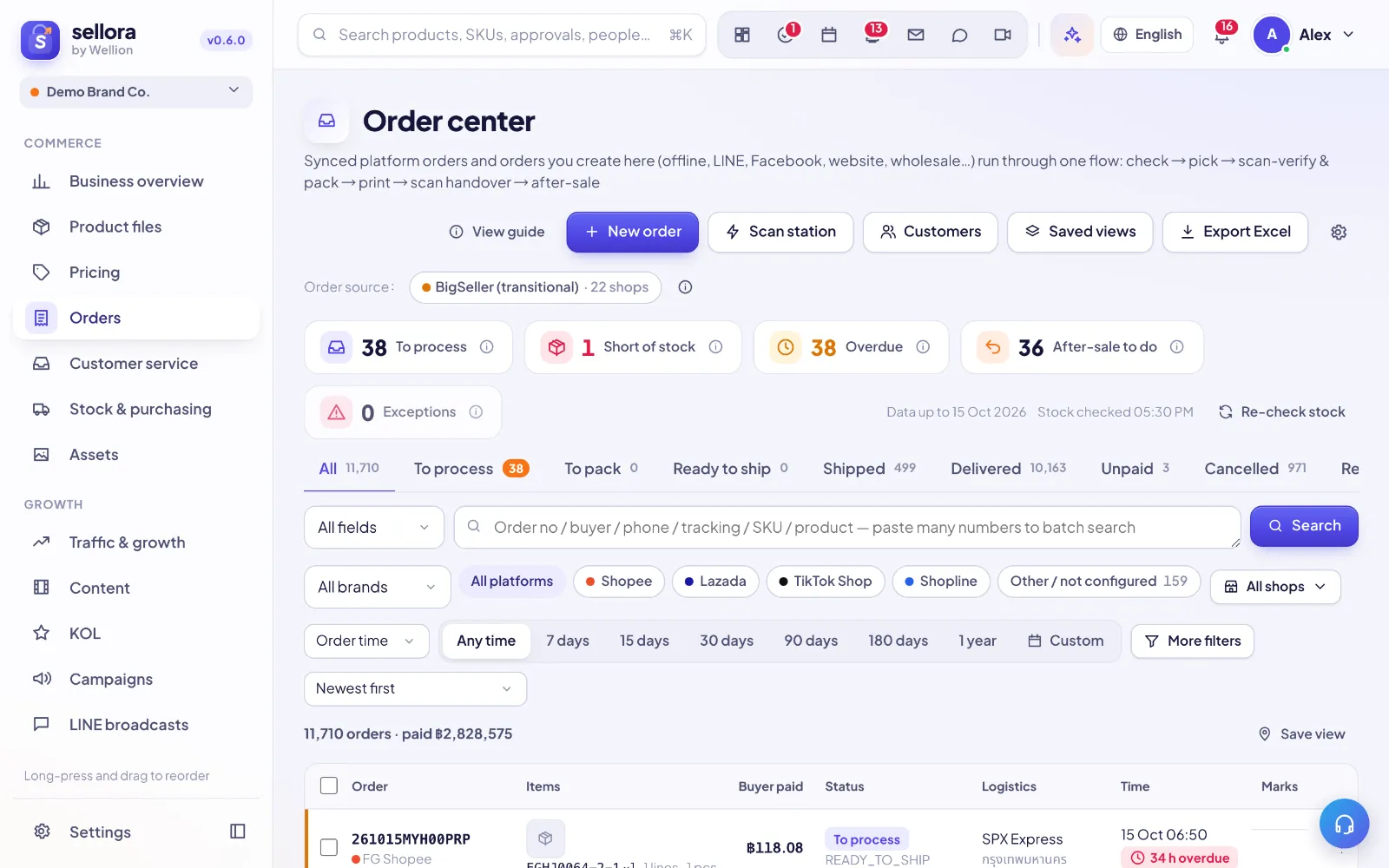 12345
12345- New order — create a manual order (LINE, phone, walk-in, wholesale).
- Work queues — to process, short of stock, overdue, after-sales.
- Status tabs — follow orders from to-process to delivered.
- Search — paste many order numbers, tracking numbers or SKUs at once.
- View guide — this guide, opened from the page.
Where orders come from
- Synced from connected marketplaces / your ERP (status updates automatically).
- Manual orders for LINE, Facebook, walk-in or wholesale customers: Orders → New order. Manual orders reserve and deduct stock like synced ones.
Statuses
Pending payment → To ship → Shipped → Completed, plus Canceled and Returned/Refunded. Synced orders follow the marketplace status and cannot be edited by hand.
Printing
Packing lists and invoices can be printed with a configurable paper size and print language (Thai or English). Your company's legal name and tax ID come from Settings → Company.
Profit per order
Leaders and founders see fees, settlement and margin on each order (Settings → Roles controls who sees costs).
Couriers
Save your courier API keys in Settings → Connections → Couriers (Flash Express, Kerry Express, J&T Express, Thailand Post, SPX Express, Ninja Van, DHL eCommerce). Keys are stored encrypted. The manual-order window then lets you pick one of the configured couriers. Booking parcels through the courier API is reserved and coming soon; until then type the tracking number by hand.
Inside SellerTiger, press the headset button to ask the AI assistant or open a support ticket.