
Inbox (buyer chats & reviews)
One inbox for buyer chats and product reviews from all connected shops.
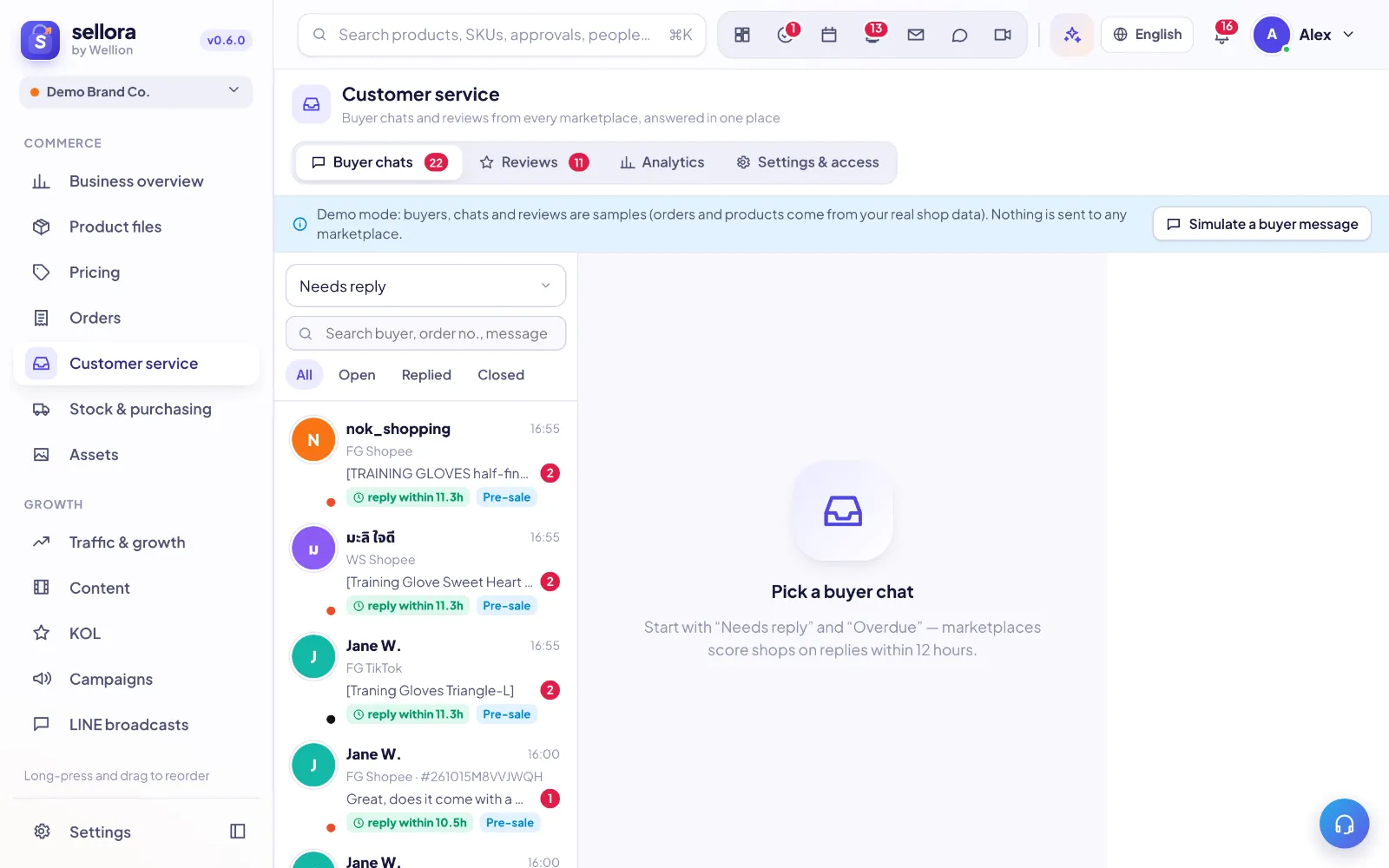 123
123- Buyer chats / Reviews — switch between conversations and product reviews.
- Conversation list — shop, waiting time and reply deadline on every chat.
- Settings & access — who handles which shops, auto-replies.
Answering buyers
- Start with Needs reply and Overdue. Marketplaces score shops on replying within 12 hours; the clock chip on each chat shows the time left.
- The reply box can be resized (drag its top edge). Use emoji, quick replies (type "/" or click the list icon), send a product card or the order card, and drag files onto the box to attach them.
- Translate: incoming messages can be auto-translated into your language; turn on Send in buyer's language to translate your reply before it is sent.
- AI reply ideas drafts three answers from the chat, the linked order and the product.
- Internal notes are never shown to the buyer.
Assignment
Leaders decide which shops each agent may handle (Customer service → Settings & access). The first person who replies owns the chat; you can reassign it.
Reviews
Filter by rating, reply publicly, ask AI for a draft, or flag a bad review to create a follow-up task.
Analytics
The Analytics tab shows the inquiry → engaged → ordered → repeat funnel, response time and rate per shop and agent, conversation topics, and the rating trend. Hover the (i) icons for exact formulas.
Connection
Chats and reviews need the marketplace's chat/review permission for each shop. Until it is granted, the shop shows Not authorized and nothing is sent.
Inside SellerTiger, press the headset button to ask the AI assistant or open a support ticket.