
Company profile and letterhead
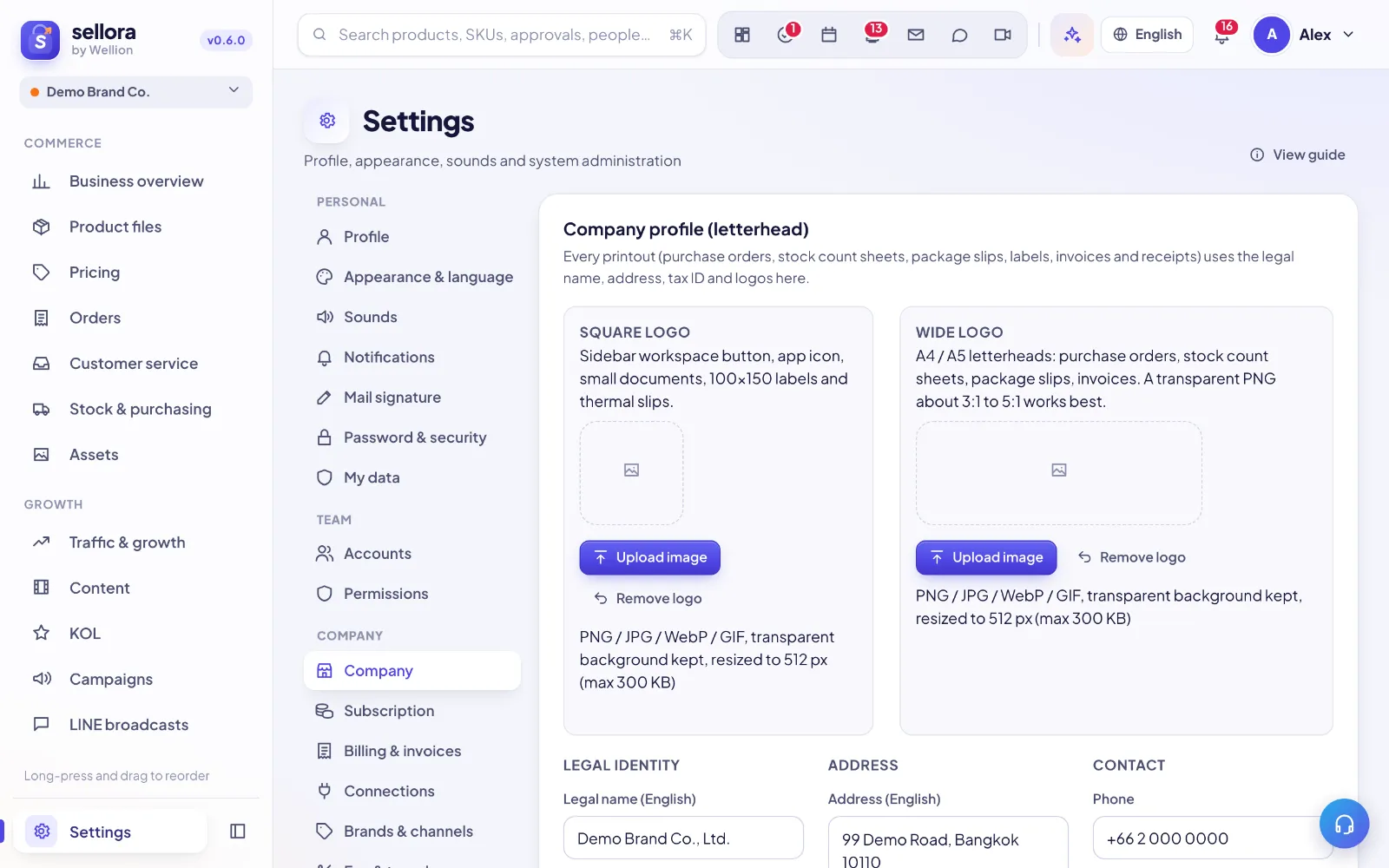
Settings → Company holds your company's legal identity and logos. Every printout — purchase orders, stock count sheets, package slips, labels, invoices and receipts — takes its legal name, address, tax ID and logo from here, so fill it in once and every document is right.
Who can edit it
Settings → Company is visible to the founder and to people with the Manage level on Settings. The Danger zone at the bottom is for the founder only.
Logos
There are two logos because they are used in very different spaces. Drag an image onto the box, paste it, or click to choose a file. SellerTiger resizes it and keeps transparency.
| Logo | Used on | Best format |
|---|---|---|
| Square logo | The workspace button in the sidebar, the app icon, small documents, 100×150 labels and thermal slips | Square PNG with a transparent background |
| Wide logo | A4 / A5 letterheads: purchase orders, stock count sheets, package slips, invoices | Transparent PNG, about 3:1 to 5:1 wide |
Use Remove logo to clear either one.
Legal identity
Under Legal identity:
- Legal name (English) — for example "Company Co., Ltd.".
- Legal name (Thai) — the registered Thai name, for example "บริษัท … จำกัด".
- Tax ID (13 digits) — your company's tax identification number.
- Head office / branch — choose Head office (สำนักงานใหญ่) or Branch (สาขา). For a branch, enter the Branch no. (5 digits), for example
00001.
Tip: A Thai tax invoice needs the Thai name, the Thai address, the 13-digit tax ID and the head office / branch. Fill in all four if you issue tax invoices.
Address and contact
- Address (English) and Address (Thai) — documents printed in Thai use the Thai address, documents in English use the English one.
- Phone, Email and Website — printed in the letterhead.
- Tagline (under the logo, optional) — a short line shown under the logo; leave it empty if you don't want one.
Click Save at the bottom of the section when you are done.
Check it on paper
Next to Paper preview, the A4 · TH, A4 · EN and A5 · TH buttons open a sample letterhead in a new tab, exactly as it will print. Save first, then preview, and check that names, address and logo fit nicely.
Order documents (package slips, labels, courier manifests) can show a different seller name or logo if you need one — see "Printing settings". Anything left empty there falls back to this company profile.
Workspace name, currency and time zone
The second section, Company, holds the settings of the workspace itself:
- Company name — the name shown in the sidebar and the workspace switcher. It does not have to match the legal name.
- Currency — THB, USD, CNY, MYR, SGD, VND, PHP or IDR.
- Time zone — the workspace's local time zone.
Collaboration and the danger zone
- Collaboration — Allow members to chat with users of other workspaces. Decided by the workspace founder; off by default.
- Danger zone (founder only):
- Transfer founder rights — hand the founder role to another active member (you become a leader).
- Export your data first — download each table as CSV or Excel, or everything at once as JSON. Not available on the free plan.
- Delete this company workspace — takes effect immediately and can be restored within 30 days; after that all data is removed permanently. Recently deleted workspaces are listed here with a Restore button.
Inside SellerTiger, press the headset button to ask the AI assistant or open a support ticket.